Databricks Tools for the AI Lakehouse Guide
Table of Contents
- Introduction to Databricks Tools for the Lakehouse
- Where Databricks Tools Fit in the AI Lakehouse
- Databricks AI/BI Lakehouse Tools for Business Questions
- Databricks Notebooks and Genie Code
- Unity Catalog AI Governance for Lakehouse Tools
- A Practical AI Databricks Workflow
- Real Uses of Databricks AI Tools
- Databricks AI Pitfalls and Costs
- Conclusion: Choosing Governed Databricks Tools
- Introduction to Databricks Tools for the Lakehouse
- Where Databricks Tools Fit in the AI Lakehouse
- Databricks AI/BI Lakehouse Tools for Business Questions
- Databricks Notebooks and Genie Code
- Unity Catalog AI Governance for Lakehouse Tools
- A Practical AI Databricks Workflow
- Real Uses of Databricks AI Tools
- Databricks AI Pitfalls and Costs
- Conclusion: Choosing Governed Databricks Tools
Introduction to Databricks Tools for the Lakehouse
Databricks Lakehouse AI tools can turn organized, access-controlled data into useful answers. Databricks tools serve different users: marketers can ask sales questions in plain English, while IT professionals inspect failing queries in notebooks. Unity Catalog connects both to the same permissions and metadata.
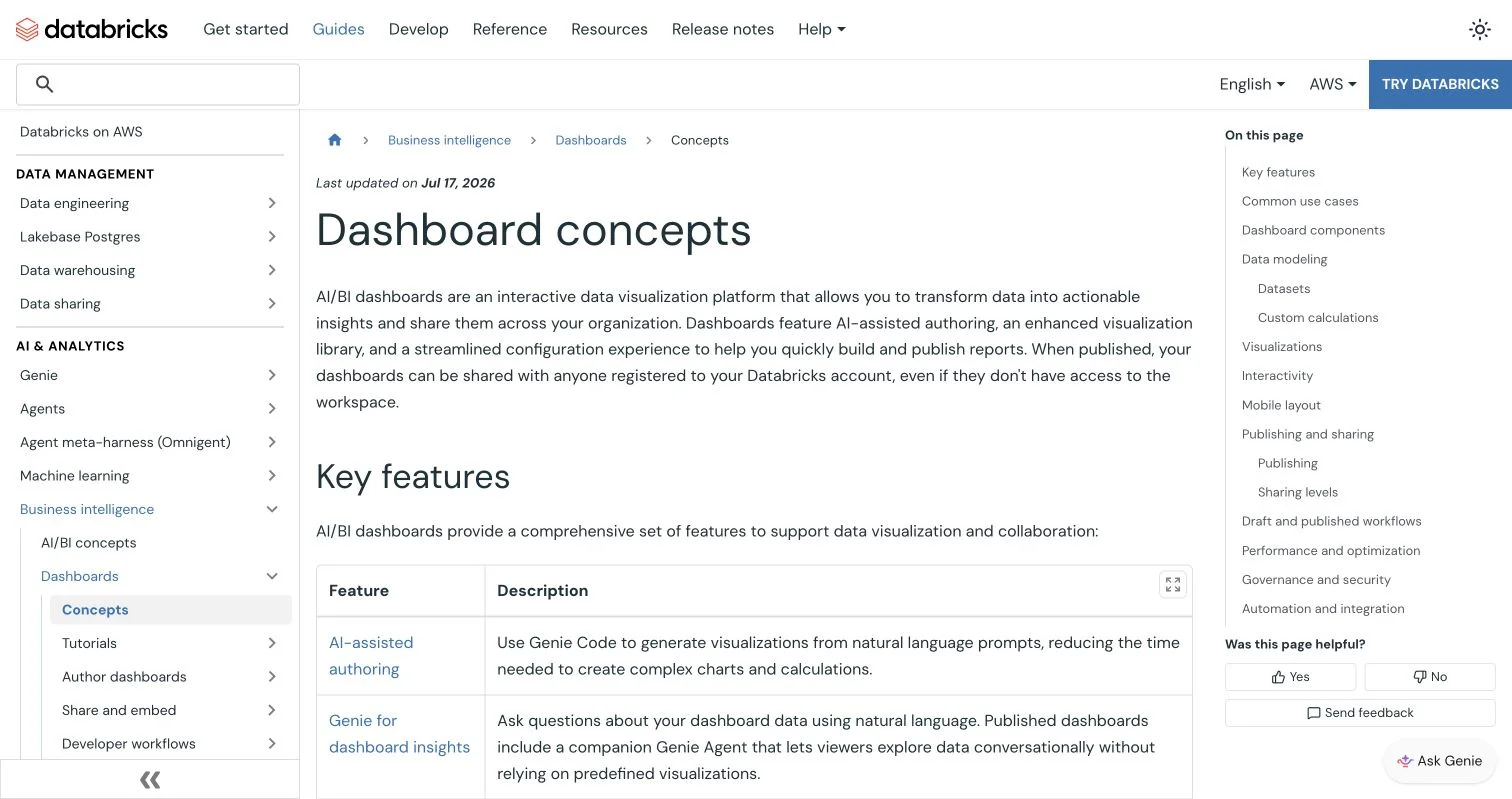
Databricks documentation showing the dashboard concepts used in lakehouse analytics..
Practical first steps:
- Choose the right lakehouse tools for dashboards, questions, code, or repeatable data enrichment.
- Use AI/BI and notebooks without assuming generated answers are correct.
- Set up Unity Catalog before expanding Databricks AI access.
TL;DR: Governed Databricks tools help more people use database data while keeping definitions, security, and review visible.
Where Databricks Tools Fit in the AI Lakehouse
A lakehouse adds reliable tables, SQL queries, governance, and performance controls to cloud object storage, creating one governed foundation for reporting, engineering, and machine learning. Databricks AI sits above that foundation; it cannot repair vague table names or missing business rules.
Five Databricks tools cover common jobs:
| Tool | Best user | Job it handles | Typical output |
|---|---|---|---|
| AI/BI dashboards | Business teams | Track known metrics | Charts, filters, and scheduled reports |
| Genie Agents | Managers and analysts | Ask follow-up questions in plain language | Generated SQL, result tables, and charts |
| Databricks notebooks with Genie Code | Analysts, engineers, and data scientists | Look at data, write code, and diagnose errors | SQL, Python, explanations, and tested cells |
| AI Functions | SQL users and pipeline developers | Apply models to many rows | Classification, extraction, translation, or generated text |
| Unity Catalog and MLflow | Data owners and AI teams | Govern data and model assets | Permissions, lineage, audit records, and registered models |
Match the tool to the question: use a dashboard for a stable weekly KPI, a Genie Agent for changing business questions, and a notebook for code, investigation, or repeatability. This avoids asking a conversational tool to replace a defined metric or tested pipeline.
Databricks AI/BI Lakehouse Tools for Business Questions
Databricks AI/BI offers two working styles: dashboards answer known questions through visualizations and filters.
Genie Agents, formerly Genie Spaces, answer questions in ordinary language. A published dashboard can include Ask Genie, letting viewers move from “What happened?” to “Why did it happen?” without leaving the report. Databricks explains that AI/BI works directly with governed data and does not require a separate data extract.
| Need | Use | Reason |
|---|---|---|
| Monitor campaign spend every morning | AI/BI dashboard | The measures and layout stay consistent |
| Ask which customer segment changed after a launch | Genie Agent | The question needs flexible grouping and follow-up |
| Give executives a simple entry point | Genie One | It hides technical workspace concepts |
| Investigate an unexpected chart value | Dashboard plus Ask Genie | The chart gives context; conversation supports deeper analysis |
Keep a Genie Agent narrow. Provide approved tables, clear column comments, sample queries, and definitions for “active customer,” “net revenue,” and “campaign conversion.” Test questions with dates, exclusions, and awkward business language.
Ask: “Compare paid-search conversion by region for the last complete month, exclude internal traffic, and show the SQL.” This states the measure, time window, grouping, exclusion, and desired evidence. “How is marketing doing?” leaves too much room for interpretation. AI/BI eases database access, but the business still owns the definition.
Databricks Notebooks and Genie Code
Databricks notebooks combine SQL, Python, Scala, R, results, notes, and charts in web-based workspaces. Real-time coauthoring and automatic versioning support exploratory work that must later be explained. In March 2026, Databricks renamed Databricks Assistant Genie Code, so older tutorials may use the previous name.
Genie Code generates and explains SQL or Python, suggests error fixes, refactors cells, finds tables from Unity Catalog metadata, and proposes query improvements. Its context includes permitted table names, column descriptions, and notebook state.
A safe first notebook workflow:
- Start with a read-only sample or development catalog, not a production write target.
- Reference the intended table explicitly with the
@table selector. - Ask for a small result first, including row limits and a stated date range.
- Review the generated SQL’s joins, filters, null handling, and aggregation level.
- Run the cell, compare totals with an approved report, and record what was checked.
- Move stable logic from ad hoc notebooks into a view, function, or tested pipeline.
The Genie Code notebook guide includes commands such as /explain, /fix, /findTables, and /optimize. Those shortcuts save typing but not the need for code review.
Unity Catalog AI Governance for Lakehouse Tools
Unity Catalog AI governance controls these lakehouse tools. It organizes assets under three-level names, such as marketing.curated.campaign_performance, applies permissions to tables, views, volumes, functions, and models, and records lineage and audit activity. It answers four questions: What is this asset? Who may use it? Where did it come from? What depends on it?
| Unity Catalog capability | How it helps AI |
|---|---|
| Access control | Genie Code and AI/BI work within the user’s existing permissions |
| Table and column comments | AI receives better context about business meaning |
| Row filters and column masks | Different users can receive appropriately limited results |
| Lineage | Reviewers can trace a dashboard or model back to source data |
| Model Registry | Teams can govern model versions, ownership, and deployment |
| Audit logs | Administrators can investigate usage and access patterns |
A 2025 SIGMOD paper reported that Unity Catalog was used by about 9,000 customers to manage roughly 100 million tables, 550,000 volumes, and 400,000 ML models, while serving about 60,000 API calls per second. The same paper reported up to 20x lower query latency in one predictive-improvement test on a one-million-row TPC-DS dataset. These vendor-reported production and test figures do not promise results for every workload, but show why the catalog is a platform component, not a folder of labels. See the Unity Catalog research paper.
Unity Catalog AI-generated comments can speed documentation, but Databricks says to review them and not use them to classify personally identifiable information. Treat generated documentation as a draft and follow the AI-generated comments guidance.
A Practical AI Databricks Workflow
The sensible, slightly boring order, permissions before prompts, definitions before dashboards, and testing before rollout, saves time later. Start with one business question whose answer has an owner and trusted comparison.
-
Select one bounded use case. Try weekly campaign conversion by channel or support-ticket volume by product. Avoid a first project that joins every department.
-
Prepare the data. Create a curated table or view with stable types, meaningful names, and explicit grain, such as one row per order line. Add owners and comments in Unity Catalog.
-
Apply access rules. Grant permissions to account-level groups rather than individuals where possible. Mask or exclude email addresses, phone numbers, and other sensitive fields. Test with an ordinary user, not only an administrator.
-
Choose the interface.
a. Use a dashboard for fixed KPIs and routine review. b. Use a Genie Agent for governed, open-ended analysis. c. Use a notebook and Genie Code for code, debugging, or potential pipelines.
-
Create a validation set. Write 10 to 20 representative questions with expected totals, filters, and date logic, including easy, ambiguous, and no-data cases.
-
Run a short pilot. Track accuracy, median answer time, escalation rate, user satisfaction, and SQL warehouse cost. Databricks recommends measuring Genie Code adoption through system tables and measuring time saved through a user survey because activity logs alone cannot prove productivity.
-
Publish with ownership. Name who approves metric changes, reviews failed questions, and updates instructions. Expand only after the pilot meets its thresholds.
Real Uses of Databricks AI Tools
These examples clarify the boundaries between Databricks tools. One is a published customer case; a small team can reproduce the others.
| Situation | Databricks tools used | Practical result |
|---|---|---|
| Retail merchandising at Grupo Casas Bahia | Genie with governed retail data | Databricks reports that analysis time fell from 5.6 hours to minutes, with users asking questions in Portuguese |
| Marketing campaign review | Curated Unity Catalog view, AI/BI dashboard, Genie Agent | A manager sees conversion by channel, then asks why one region changed without waiting for a new report |
| IT incident analysis | Notebook, Genie Code, system tables | An engineer asks for failed jobs by error class, reviews the generated SQL, and turns the checked query into a recurring alert |
| Customer-feedback processing | AI Functions in SQL, governed source table | A team classifies sentiment and extracts product names across many text rows, then samples results before publishing totals |
| Model handoff | MLflow Model Registry in Unity Catalog | A data scientist registers a model version; an operations team receives execute access without gaining broad access to training data |
The Grupo Casas Bahia example comes from a Databricks retail and consumer-goods brief, so treat it as a customer example, not an independent benchmark.
The marketing pattern suits a first Databricks AI project. Begin with one governed view that matches finance or CRM totals, put stable measures on the dashboard, and let Genie handle follow-ups. Promote repeated questions into reviewed metrics or charts. Conversation reveals demand; the database remains the system of record.
Databricks AI Pitfalls and Costs
The biggest failure is usually unclear data, not the model. If two teams define “customer” differently, a fluent answer can still be wrong. AI also makes permitted data easier to find, exposing weak permissions.
| Item | What to check | Why it matters |
|---|---|---|
| Metric definitions | Owner, formula, time zone, exclusions, and update frequency | Similar words can produce different totals |
| Permissions | Group grants, row filters, column masks, and test personas | AI must not widen access |
| Answer review | Generated SQL, source tables, joins, and totals | Natural language can hide a faulty query |
| Compute and AI cost | Warehouse size, query frequency, budgets, and usage logs | Conversational questions still consume resources |
| Data handling | Region, partner-powered feature setting, and compliance profile | Availability and processing rules vary |
| Operations | Owner, benchmark questions, feedback queue, and change process | Quality declines when definitions change silently |
Common questions have direct answers:
Conclusion: Choosing Governed Databricks Tools
Databricks Lakehouse AI tools share one data and governance foundation. AI/BI gives business users dashboards and natural-language queries; notebooks and Genie Code help technical users find data, write SQL or Python, and diagnose problems. Unity Catalog connects both to permissions, descriptions, lineage, models, and audit records.
Start with one trusted dataset and one decision that matters. Define the metric, restrict access, create a small validation set, and compare AI answers with an approved source. Measure time, quality, and cost before adding users or data domains. This is slower than a flashy demo but faster than repairing a confusing rollout. This week, pick one recurring question, identify its data owner, and build the smallest governed pilot to answer it.
Frequently Asked Questions
Does Genie expose data a user cannot query?
Databricks says its AI features respect Unity Catalog permissions and Genie Agents use read-only SQL. Still test real user roles before release.
Are prompts used to train public foundation models?
Databricks states it does not use submitted prompts, responses, or data to train foundation models offered to third parties, and partner-powered endpoints use zero data retention. Review the current trust and safety documentation with your security team.
Can AI replace data modeling?
No. Clear grain, joins, metrics, and ownership make AI useful.
Should every question use Genie?
No. Use dashboards for repeated decisions and notebooks or pipelines for logic that must be tested and rerun.
What about cost?
AI usage and compute for generated queries may be billed separately. Set budgets, watch system billing tables, and check current pricing before a broad rollout.
Which Databricks tool should I use for my first project?
Choose an AI/BI dashboard for recurring KPIs, a Genie Agent for flexible business questions, or a notebook with Genie Code for investigation and reusable code. Start with one trusted dataset and a narrowly defined decision rather than a cross-department use case.
What should be prepared before giving users access to Databricks AI?
Set up Unity Catalog permissions, ownership, table descriptions, and consistent business definitions first. Test row filters, column masks, and grants using ordinary user accounts so the pilot reflects real access conditions.
How can I verify that a Genie or Genie Code answer is accurate?
Review the generated SQL, source tables, joins, filters, null handling, date range, and aggregation level. Compare the result with an approved report, then test representative questions that include ambiguous wording and no-data scenarios.
Can Databricks AI access data that a user is not permitted to see?
Databricks AI features operate within the user’s Unity Catalog permissions, and Genie Agents generate read-only SQL. However, teams should still test actual user roles because overly broad grants or weak masking rules can make sensitive data easier to discover.
When should repeated Genie questions become dashboards or pipelines?
Promote a question when users ask it regularly or when its logic must produce consistent, auditable results. Stable metrics belong in reviewed dashboards, views, functions, or tested pipelines rather than remaining dependent on ad hoc prompts.
How should teams control Databricks AI and query costs?
Track warehouse usage, query frequency, AI consumption, and billing system tables during the pilot. Set budgets and thresholds before expanding access, since conversational analysis can create both compute and AI service charges.
What makes a Databricks AI pilot ready for broader rollout?
The pilot should meet agreed targets for answer accuracy, response time, escalation rate, user satisfaction, and cost. It also needs named owners for metric changes, failed-question review, access policies, and ongoing instruction updates.