AI MongoDB Tools: Queries, Safety & Vector Search
Table of Contents
- Introduction to AI Tools for MongoDB Development
- What AI Changes in MongoDB Development
- Comparing AI MongoDB Tools: MongoDB Compass, MongoDB Atlas, and VS Code
- First Steps with MongoDB Compass and Natural Language Queries
- Better Prompts for MongoDB Query Generation
- Document Database AI Starts with Sound Data Modeling
- Validate AI MongoDB Tools for Accuracy and Safety
- Four Practical MongoDB Development Examples Using AI MongoDB Tools
- Building Customer-Facing Document Database AI with Vector Search
- Conclusion: Use AI MongoDB Tools as Drafting Partners
- Introduction to AI Tools for MongoDB Development
- What AI Changes in MongoDB Development
- Comparing AI MongoDB Tools: MongoDB Compass, MongoDB Atlas, and VS Code
- First Steps with MongoDB Compass and Natural Language Queries
- Better Prompts for MongoDB Query Generation
- Document Database AI Starts with Sound Data Modeling
- Validate AI MongoDB Tools for Accuracy and Safety
- Four Practical MongoDB Development Examples Using AI MongoDB Tools
- Building Customer-Facing Document Database AI with Vector Search
- Conclusion: Use AI MongoDB Tools as Drafting Partners
Introduction to AI Tools for MongoDB Development
MongoDB development often begins with a deceptively simple problem: readable documents, but queries that still take practice. MongoDB query generation gets harder with varying field names, array behavior, and business questions requiring several aggregation stages. AI MongoDB tools can speed the first draft. MongoDB Compass and Atlas turn plain-language requests into filters or pipelines, while coding assistants explain schemas and generate application code.
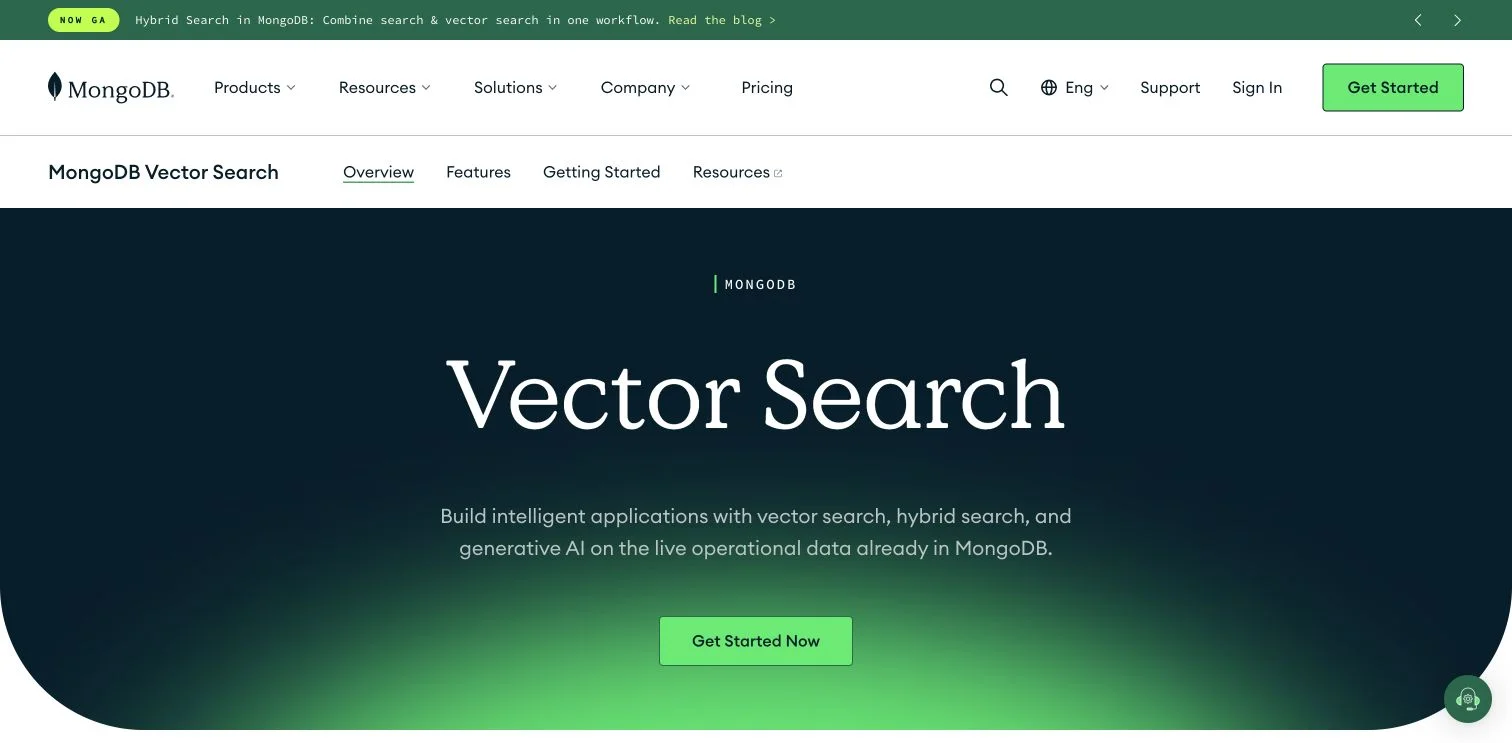
MongoDB’s Vector Search page shows how semantic search fits into an application database workflow..
TL;DR: AI MongoDB tools add speed, not magic. A document database AI assistant can misunderstand a field, choose the wrong date range, or produce an expensive query. This guide covers:
- Select an AI tool for a specific MongoDB development task
- Generate and test document queries step by step
- Protect sensitive data and avoid slow production queries
- Build customer-facing semantic search with MongoDB Atlas
What AI Changes in MongoDB Development
MongoDB stores records as BSON documents, not fixed-column rows. For example, a customer document may contain an address object, campaign-interaction array, and optional preference fields. That useful flexibility gives AI assistants more room for incorrect assumptions.
Treat AI MongoDB tools as drafting and teaching systems. They translate requests such as find paid orders from last month into queries, explain unfamiliar operators, or suggest aggregation pipelines. Without guidance, they cannot know whether createdAt means the order, payment, or import date.
| MongoDB development task | Work without AI | Useful AI contribution | Human decision still required |
|---|---|---|---|
| Find documents | Write a filter from memory | Draft operators and values | Confirm fields and data types |
| Build a report | Assemble pipeline stages | Propose $match, $group, and $sort |
Check business definitions |
| Understand a collection | Inspect sample documents | Summarize observed structure | Decide the intended schema |
| Improve performance | Read an explain plan | Describe scans and possible indexes | Test index cost and workload impact |
The 2025 Stack Overflow Developer Survey received 49,019 responses. More than 36% of respondents had learned AI-enabled tooling during the previous year, yet nearly 68% still used technical documentation to learn. The combination makes sense: AI gets users moving; documentation and testing establish whether answers are sound.
Comparing AI MongoDB Tools: MongoDB Compass, MongoDB Atlas, and VS Code
Choose tools by where work happens: MongoDB Compass on desktop, Atlas Data Explorer in the browser, or the MongoDB extension for GitHub Copilot in Visual Studio Code. A general chat assistant can teach syntax but lacks trustworthy knowledge of a live collection without supplied context.
| Tool | Best fit | What it can do | Main concern |
|---|---|---|---|
| MongoDB Compass | Visual exploration and learning | Generate filters and aggregation pipelines from natural language | Review generated code before execution |
| Atlas Data Explorer | Teams already using Atlas | Generate queries and provide contextual assistance in the Atlas interface | AI settings and data-sharing choices need review |
| MongoDB for VS Code with GitHub Copilot | Application developers | Use /query, /schema, and /docs from the editor |
Requires Copilot and a properly secured connection |
| MongoDB MCP Server | Tool-aware coding agents | Inspect metadata, search documentation, and perform permitted database tasks | Permissions and write-capable tools need tight control |
| General AI assistant | Learning and isolated examples | Explain syntax or draft code from a sanitized schema | It cannot inspect the real database or verify results |
Natural-language querying in MongoDB Compass is available from version 1.40.x. MongoDB describes the feature as experimental and warns that it can return inaccurate results. In Atlas, the newer Data Explorer assistant can use read-only tools against live data, but each execution requires user approval. These controls support guided Atlas investigation without permission to modify records.
First Steps with MongoDB Compass and Natural Language Queries
MongoDB Compass is a sensible starting point for viewing documents and generated queries together. Start with a sample database or staging copy; a production customer collection is a poor classroom.
-
Install current MongoDB Compass, connect to a non-production deployment, and use a read-only account.
-
Inspect several collection documents, noting exact field names, nesting, arrays, missing values, and types such as Date, ObjectId, string, or Decimal128.
-
Define one needed answer, such as:
In orders, match paid records created in June 2026, group by campaignId, sum amount, sort from highest revenue to lowest, and return 10 campaigns. -
Enter the request in the natural-language query or aggregation control, using stored field names rather than dashboard labels.
-
Review the generated pipeline, confirming that
$matchlimits data before$group, date boundaries use the expected timezone, and the total uses the correct monetary field. -
Run the query on a short period or small sample, then manually calculate two or three results for comparison.
-
Before reusing the query on a large collection, open Explain Plan and save reviewed code in a tested, versioned application or reporting repository.
The Atlas natural-language query instructions also stress: inspect the generated fields and operators before selecting Find. AI MongoDB tools reduce typing, not review.
Better Prompts for MongoDB Query Generation
Vague questions produce unreliable natural language queries and weak MongoDB work. Show the best campaigns leaves the collection, time period, success metric, refunds, currency, and result count unspecified. A better prompt is a small query specification.
| Prompt part | Information to provide | Example |
|---|---|---|
| Data source | Database and collection | analytics.orders |
| Fields and types | Exact paths and relevant BSON types | createdAt is a Date; amount is Decimal128 |
| Conditions | Status, date range, tenant, or region | status is paid and region is AM |
| Calculation | Count, sum, average, or grouping rule | sum amount by campaignId |
| Output | Projection, sort order, and limit | return campaignId and revenue; top 10 |
| Edge cases | Missing, null, duplicate, or refunded data | exclude missing campaignId and refunded orders |
MongoDB’s natural-language query guidance says that two or three representative documents typically give a model enough structural context. It also recommends supplying index information. Representative need not mean sensitive: remove names, emails, access tokens, full text, and large embedding arrays before using an external assistant.
Request a read-only find operation or aggregation pipeline, the driver language, and brief stage explanations. Specify Node.js when relevant; mongosh, Python, and Node.js handle dates and results differently. Request a limit during exploration. It will not fix an inefficient collection scan, but reduces accidental output and simplifies early checks.
Document Database AI Starts with Sound Data Modeling
Document database AI performs better when documents express their meaning clearly.
A field called value invites guessing; names such as orderTotal, currencyCode, and paidAt give people and tools clearer context. Consistent BSON types also matter. Storing a date as both a Date and text can make syntactically valid queries return incomplete results.
| Modeling choice | Use it when | Watch for |
|---|---|---|
| Embed related data | The data is usually read and updated with its parent | Arrays that grow without a practical bound |
| Reference another collection | Records grow independently or are reused | More queries or $lookup stages |
| Store a computed value | An expensive total is read frequently | A clear process for refreshing stale values |
In a marketing system, current consent settings and a few channel preferences fit naturally in a customer document. Millions of delivery, click, and purchase events should instead live in a separate collection linked by customer or campaign identifiers.
MongoDB permits flexible schemas, but it still supports schema validation for required types, ranges, and allowed values. Add validation once the application structure is clear. MongoDB also limits a BSON document to 16 MiB and permits at most 100 nesting levels, according to its document limits. AI MongoDB tools may suggest code that works now while ignoring an array that could later exceed a sensible size. Data growth remains a design decision.
Validate AI MongoDB Tools for Accuracy and Safety
Review every generated query four ways. This may seem slow, but it is faster than repairing a dashboard that reported incorrect revenue for a month.
| Review pass | What to check | Evidence to collect |
|---|---|---|
| Meaning | Fields, date boundaries, currency, null behavior, and business rules | Hand-calculated sample results |
| Correctness | Operators, array behavior, stage order, and output shape | Automated tests and known records |
| Performance | Index use, documents examined, memory use, and returned count | Explain Plan before and after changes |
| Privacy | Prompt contents, sample values, credentials, and assistant permissions | Approved settings and least-privilege roles |
MongoDB’s explain-plan tutorial gives a compact performance example. Without an index, a filter examines 10 documents to return three; with one, the example examines three index entries and three documents for the same results. For real collections, compare nReturned, totalDocsExamined, totalKeysExamined, and the winning plan instead of trusting a confident performance explanation.
Privacy matters equally. MongoDB Compass sends the prompt and schema details to Microsoft and OpenAI for processing.
MongoDB Atlas can send schema information and sample field values; administrators can disable sample sharing in project settings. MongoDB’s generative AI FAQ says inputs and outputs may be retained temporarily for up to one year for troubleshooting, analytics, and product improvement. Review current terms before using regulated or personal data because policies can change.
Use read-only roles for exploration, separate production and test credentials, and inspect pipelines for write stages such as $merge or $out. Never put connection strings, passwords, private keys, or customer records in a generic prompt.
Four Practical MongoDB Development Examples Using AI MongoDB Tools
Good pilots solve small, measurable problems. These examples show where AI MongoDB tools help and what needs manual verification.
| Use case | Useful request | What must be verified |
|---|---|---|
| Marketing performance | Group paid orders by campaignId, calculate revenue, and return the top 10 |
Refund handling, currency conversion, attribution window, and missing IDs |
| IT operations | Count error events by service in five-minute windows | Timestamp type, timezone, severity values, retention rules, and timestamp index |
| Customer support | Find articles semantically related to a support question | Tenant filters, document permissions, relevance, and outdated articles |
| SQL migration | Translate a customer-and-orders report into an aggregation pipeline | Whether embedding or referencing fits normal reads and updates |
In the marketing example, an assistant can produce $match, $group, $sort, and $limit stages in seconds. The key question is whether revenue belongs to the first campaign, last campaign, or every touchpoint. No query generator can reliably infer a company’s attribution policy.
For IT events, start with one service and one hour of data. Verify the count against a known log sample, then check whether the query uses an index beginning with its filter fields. During migration, do not mechanically copy a relational schema into collections. Have AI propose embedded and referenced models, then compare update frequency, document growth, and common reads.
Evaluate with 30 representative questions: 10 simple filters, 10 aggregations, and 10 edge cases involving nulls, arrays, or dates. Track:
- Time required to produce a reviewed query
- Percentage of generated queries needing correction
- Documents examined per result returned
- Query latency at the 50th and 95th percentiles
These measures show whether document database AI improves real work or merely produces code faster.
Building Customer-Facing Document Database AI with Vector Search
AI-assisted MongoDB development differs from AI inside an application. MongoDB query generation converts instructions into database syntax; semantic search converts text, images, or other content into numeric vectors and retrieves items with similar meaning. This enables support search, product discovery, recommendations, and retrieval-augmented generation.
-
Select a focused source collection, removing duplicate, obsolete, and inaccessible content before embedding.
-
Add filter metadata such as tenant, language, region, publication status, or product category.
-
Generate each searchable item’s embedding with one model, recording its name and version for consistent rebuilding.
-
Store vectors with source documents or stable references, then create a MongoDB Vector Search index.
-
Embed the user’s question, run a
$vectorSearchaggregation, and apply access and business filters before returning results. -
Test with real questions and expected documents, measuring retrieval quality, response time, permission leakage, and when the application should return no answer.
The current $vectorSearch documentation allows vectors up to 8,192 dimensions. It supports Atlas clusters running MongoDB 6.0.11 or later, and qualifying MongoDB 8.2 Enterprise and Community deployments. The stage can pre-filter indexed metadata, particularly useful for access rules.
For retrieval-augmented generation, send only selected passages to the language model and retain links to their source documents. Fluent answers cannot rescue weak retrieval. Evaluate search results before generated prose.
Conclusion: Use AI MongoDB Tools as Drafting Partners
AI MongoDB tools make early MongoDB development less intimidating. MongoDB Compass lets beginners inspect documents and generate filters visually. Atlas assists with hosted data in the browser, while the VS Code extension and MCP Server bring MongoDB context into coding workflows. Vector Search instead builds semantic discovery into applications.
Start safely:
- Choose one read-only, non-production collection
- Test 30 representative questions and record corrections
- Review every query for meaning, performance, and privacy
- Move approved queries into tested, version-controlled code
Start with one familiar report. Generate it in MongoDB Compass, compare it with a trusted calculation, and inspect the explain plan. This exercise shows where document database AI saves time and where human judgment still carries the work.
Frequently Asked Questions
Which AI MongoDB tool should I start with?
Use MongoDB Compass for visual exploration and natural-language query generation, Atlas Data Explorer when your data already lives in Atlas, and the VS Code extension when working primarily in application code. Start with a read-only account connected to a sample database or staging environment.
How can I make AI-generated MongoDB queries more accurate?
Provide the exact database, collection, field paths, BSON types, conditions, calculation rules, and desired output. Include two or three sanitized representative documents and describe edge cases such as refunds, null values, arrays, missing fields, and timezone boundaries.
How should I validate an AI-generated query before using it in production?
Confirm its fields, operators, date boundaries, array behavior, business rules, and output shape against known records. Test it on a limited dataset, manually verify several results, and inspect the explain plan before running it across a large collection.
Does adding a limit make an AI-generated query safe and efficient?
A limit reduces the number of returned documents, but it does not prevent an inefficient collection scan. Check the winning plan, documents and index keys examined, memory use, and latency to determine whether an appropriate index or pipeline change is needed.
What information should never be included in an AI prompt?
Do not include connection strings, passwords, private keys, access tokens, or identifiable customer records. Sanitize sample documents, review the tool’s data-sharing and retention settings, and use least-privilege roles, preferably read-only, for exploration.
Can AI decide whether MongoDB data should be embedded or referenced?
AI can suggest possible models, but the final choice depends on normal read patterns, update frequency, reuse, and expected document growth. Embed data commonly used with its parent, and reference records that grow independently or could make documents and arrays unmanageably large.
How is MongoDB Vector Search different from natural-language query generation?
Natural-language query generation translates a request into a MongoDB filter or aggregation pipeline for developers. Vector Search is an application feature that retrieves content by semantic similarity and requires embeddings, a vector index, metadata filters, access controls, and relevance testing.