AI MySQL Tools: Safe Development & Best Practices
Table of Contents
- Introduction: AI Tools Meet MySQL Development
- What AI MySQL Tools Can and Cannot Do
- Choosing AI MySQL Tools and a Database AI Assistant
- A Safe MySQL Development Workflow with AI MySQL Tools
- Prompting a Database AI Assistant for Better MySQL Development
- MySQL Best Practices for AI-Assisted SQL Query Optimization
- MySQL Best Practices for Changes, Security, and Recovery
- MariaDB Development Best Practices: Compatibility Without Guesswork
- Practical AI MySQL Tools: Examples
- Conclusion: Keep AI MySQL Tools Under Human Control
- Introduction: AI Tools Meet MySQL Development
- What AI MySQL Tools Can and Cannot Do
- Choosing AI MySQL Tools and a Database AI Assistant
- A Safe MySQL Development Workflow with AI MySQL Tools
- Prompting a Database AI Assistant for Better MySQL Development
- MySQL Best Practices for AI-Assisted SQL Query Optimization
- MySQL Best Practices for Changes, Security, and Recovery
- MariaDB Development Best Practices: Compatibility Without Guesswork
- Practical AI MySQL Tools: Examples
- Conclusion: Keep AI MySQL Tools Under Human Control
Introduction: AI Tools Meet MySQL Development
MySQL development becomes easier when AI explains unfamiliar tables, drafts queries, or translates business questions into SQL, for example, campaign revenue by channel or why an order lookup is slow. AI MySQL tools can shorten the path from question to working query.
They cannot replace database knowledge or testing. The 2025 Stack Overflow Developer Survey found that 84% of respondents used or planned to use AI tools, yet 46% distrusted their accuracy. Caution is warranted: database mistakes can expose customer data or change thousands of rows at once. The survey covered 33,662 responses to its AI-usage question.
This guide explains:
- Where AI MySQL tools are genuinely useful
- How to produce and test SQL safely
- Which MySQL best practices still require human judgment
- How MariaDB development differs from MySQL development
What AI MySQL Tools Can and Cannot Do
A relational database stores items such as customers or orders as rows in tables; columns describe them, and primary and foreign keys connect records. Like a book index, an index gives MySQL a faster route to selected rows.
AI MySQL tools work with descriptions of this structure. Their usefulness depends on that context.
| Task | Where AI Helps | What a Person Must Verify |
|---|---|---|
| Learning SQL | Explains joins, filters, grouping, and transactions in plain language | Whether the explanation matches the installed MySQL version |
| Writing queries | Produces a first SQL draft from a business question | Table names, relationships, null handling, and expected totals |
| Query tuning | Reads an execution plan and proposes indexes or rewrites | Performance against representative data and production traffic |
| Schema design | Suggests column types, constraints, and relationships | Retention rules, growth estimates, and business meaning |
| Documentation | Describes tables and generates data-dictionary drafts | Accuracy, ownership, and definitions used by the business |
AI predicts plausible text without knowing your schema, data distribution, permissions, or application rules. GitHub warns that generated code can appear correct yet be semantically or syntactically wrong, so review and test every result, especially in sensitive systems. GitHub documents these limitations directly.
My rule is simple: let AI propose; let the database and a human reviewer prove.
Choosing AI MySQL Tools and a Database AI Assistant
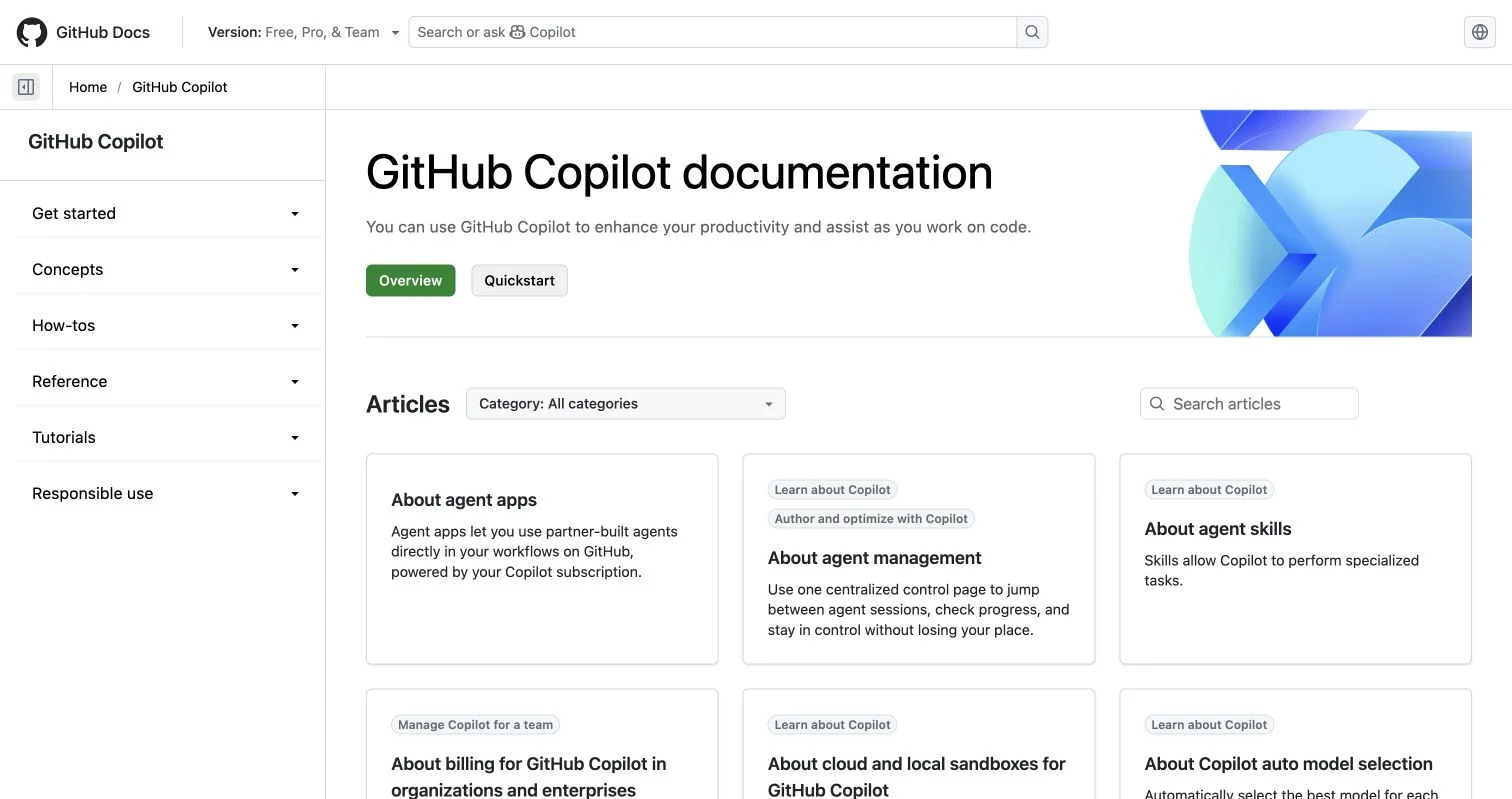
No single database AI assistant fits every task: browser chats suit learning, while editor assistants suit SQL beside application code. Database-aware tools can inspect metadata, reducing guesses about table and column names.
| Tool Category | Examples | Best Use | Main Limitation |
|---|---|---|---|
| General AI assistant | ChatGPT, Claude, Gemini | Explanations, query drafts, test ideas, and documentation | Requires manually supplied context and careful data handling |
| Coding assistant | GitHub Copilot and AI-enabled editors | SQL embedded in application code, migrations, and automated tests | May lack live statistics or full database state |
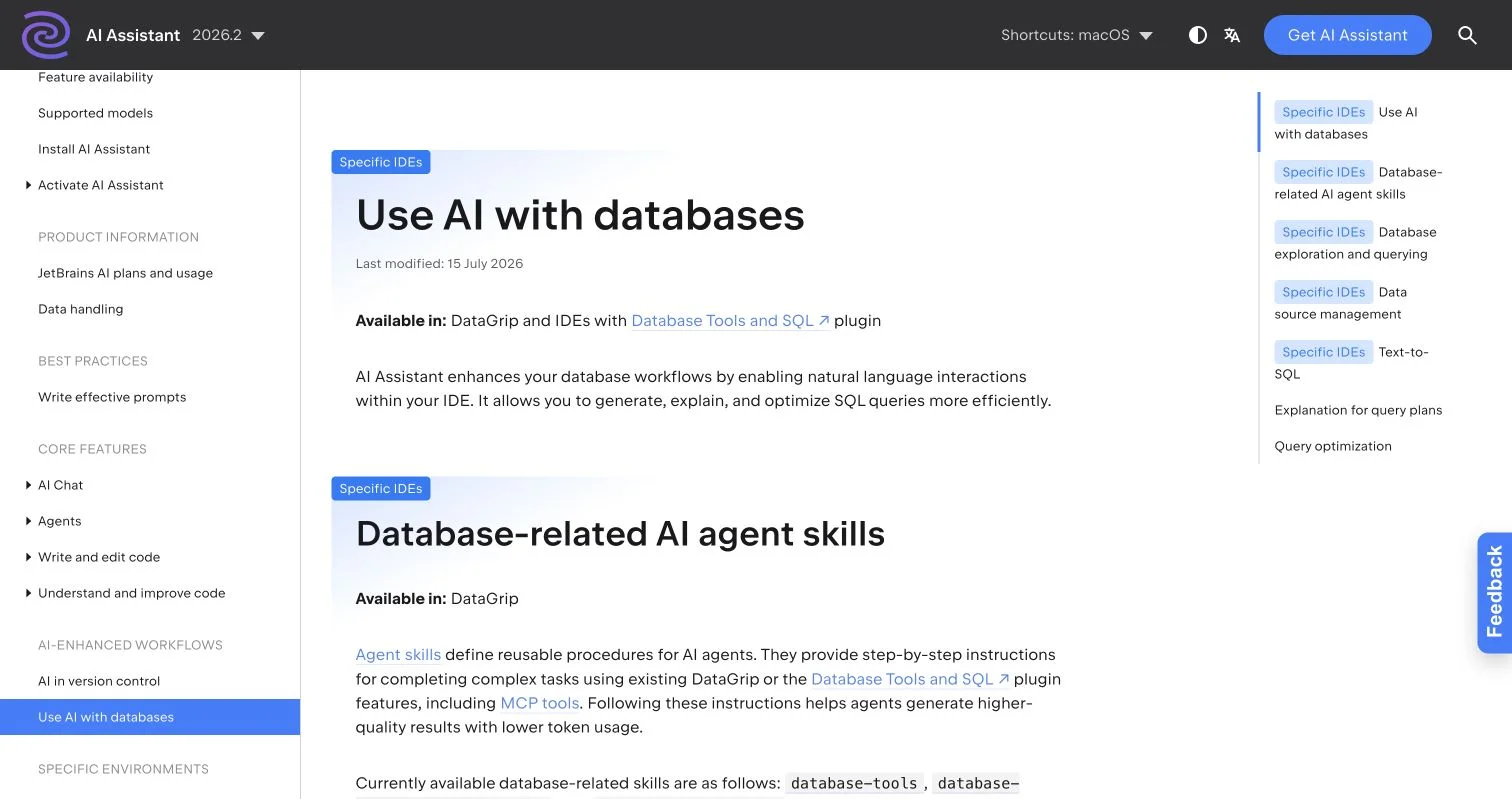
| Database-aware IDE | DataGrip with AI Assistant | Schema-aware text-to-SQL, query explanations, and plan analysis | Database access and some features depend on configuration and licensing |
| Workload advisor | MySQL HeatWave Autopilot Indexing | Index recommendations based on recorded workloads | Tied to HeatWave and subject to workload and table limitations |
JetBrains says its database assistant can inspect connected schemas, generate SQL from actual metadata, and, with permission, run queries for verification. Its database workflow documentation explains the available controls.
JetBrains documents natural-language SQL generation, explanation, optimization, and database-aware agent skills in DataGrip and supported IDEs.
MySQL HeatWave’s index advisor instead evaluates statement history and estimates performance and storage effects. It requires at least five recorded queries and skips cases including InnoDB tables with fewer than 1,000 rows. Oracle documents these boundaries.
Choose the smallest suitable tool. More autonomy means more attention to permissions, review, and recovery.
A Safe MySQL Development Workflow with AI MySQL Tools
Start with a read-only report, such as monthly campaign revenue for a marketer who does not know SQL. The database contains campaigns, customers, and orders. Given the relevant table definitions, AI can draft the join and aggregation.
Use this workflow:
-
State the business question and whether revenue means placed orders, paid orders, or refunded net revenue.
-
Use a local, staging, or reporting database and give the assistant’s account only
SELECTaccess. -
Share structure, not customer records;
SHOW CREATE TABLEoutput, column names, approximate row counts, and sanitized examples usually suffice. -
Request one explained
SELECTquery, state the MySQL version, and require explicit column names instead ofSELECT *. -
Run
EXPLAIN, then test the query on a narrow date range or known campaign. -
Compare results with a trusted source by checking several orders and reconciling the total with the billing or analytics system.
-
Save the accepted SQL in version control with its assumptions and review date.
If the query returns $82,400 while finance reports $78,900, investigate status filters, refunds, time zones, currency conversion, and duplicate joins instead of asking AI to force a match. That investigation is part of MySQL development, not an inconvenience around it.
Prompting a Database AI Assistant for Better MySQL Development
Show my best campaigns is vague: does “best” mean revenue, leads, conversion rate, or profit? Which date field applies, and are cancelled orders included?
A useful prompt supplies five kinds of context:
- Engine and version: MySQL 8.4, MySQL 9.x, or a specific MariaDB release
- Schema: Relevant
CREATE TABLEstatements and relationships - Data shape: Approximate row counts, null rates, and high-cardinality columns
- Goal: The business result and an example of the expected output
- Constraints: Read-only SQL, date range, maximum runtime, and portability needs
A practical prompt could read:
Using MySQL 8.4, write a read-only query that returns paid revenue by campaign for June 2026. Use
orders.paid_atfor the date, exclude refunded orders, and return campaign name, order count, and revenue. Explain the joins and suggest indexes separately. Do not invent columns. Ask if required information is missing.
Ask the database AI assistant to explain its query and list assumptions, exposing uncertainty before execution. Also request test cases for empty campaigns, duplicate campaign names, null identifiers, and month boundaries.
The Stack Overflow survey found that 66% of developers had encountered almost-right AI answers. That was the most commonly reported AI frustration. Better prompts reduce ambiguity, but they do not remove the need to inspect the result.
MySQL Best Practices for AI-Assisted SQL Query Optimization
Start SQL query optimization with evidence: an index suggested because a column appears in WHERE may still be ineffective or unnecessary. MySQL notes that indexes speed selected reads but consume space and add work to inserts, updates, and deletes. Oracle recommends balancing read gains against index costs.
Start with:
EXPLAIN ANALYZE
SELECT id, total_amount
FROM orders
WHERE customer_id = 8421
  AND paid_at >= '2026-06-01';
Because EXPLAIN ANALYZE runs the statement, use it only for safe statements in a controlled environment; it reports estimated and actual rows, timing, and loop counts. The MySQL 8.4 manual describes every reported measurement.
| Item | What to Check | Why It Matters |
|---|---|---|
| Rows examined | Compare estimated and actual rows | A large difference can point to stale or weak statistics |
| Access method | Look for full scans on large tables | A suitable index may reduce unnecessary reads |
| Composite index order | Match leading columns to common filters | MySQL uses the leftmost part of a multi-column index |
| Query output | Select only required columns | Less data means less transfer and memory use |
| Before-and-after timing | Test several representative inputs | One fast example does not prove a general improvement |
For an order lookup taking 900 milliseconds at the 95th percentile, ask AI to explain the plan and test a proposed (customer_id, paid_at) index on production-like data. Accept the change only if repeated measurements improve the target workload without slowing important writes.
MySQL Best Practices for Changes, Security, and Recovery
Scrutinize generated ALTER, UPDATE, and DELETE statements: one missing condition can change every row. Use a safe process instead of trusting a polished AI explanation.
| Item | What to Check | Why It Matters |
|---|---|---|
| Permissions | Separate read, write, migration, and administration accounts | Limits the effect of an error or exposed credential |
| Parameters | Use prepared statements for application input | Reduces SQL injection risk and avoids manual escaping |
| Transaction | Confirm commit, rollback, and implicit-commit behavior | Some schema statements cannot be rolled back |
| Backup | Create and test a restorable backup | An untested backup is only a hopeful file |
| Migration plan | Include forward, verification, and recovery steps | Makes failures easier to contain |
| Sensitive data | Remove personal data, secrets, and production credentials from prompts | External AI services may process supplied context |
Before a bulk update, run a SELECT with the same condition, count matching rows, and inspect a sample. Then update in practical batches, watch locks and replication lag, and verify results before continuing.
Use bind parameters such as WHERE email = ? instead of joining user input into SQL text; MySQL says prepared statements protect against some SQL injection attacks. The MySQL glossary also explains their parsing and reuse benefits.
Plan for point-in-time recovery by restoring a full backup and replaying binary-log changes to the required moment. Oracle documents the process here. Test restoration regularly; do not wait for an AI-generated migration to fail.
MariaDB Development Best Practices: Compatibility Without Guesswork
MariaDB began as MySQL-compatible and still shares its client protocol and much SQL syntax. That does not make modern releases interchangeable.
MariaDB development must account for version-specific differences in JSON storage, authentication, collations, optimizer behavior, system variables, and replication.
| Area | MySQL | MariaDB | Practical Response |
|---|---|---|---|
| JSON | Native binary JSON type with MySQL semantics | JSON is generally an alias for text storage with different comparison behavior |
Test functions, constraints, indexes, and data transfer |
| Runtime plans | Uses EXPLAIN ANALYZE for supported statements |
Uses ANALYZE and can return actual row statistics |
Give the AI assistant the exact engine and version |
| GTID replication | MySQL GTID format and variables | MariaDB GTID is different and incompatible | Plan replication or migration explicitly |
| Authentication | MySQL-specific plugins and defaults | Different plugin availability and Unix-socket defaults | Test every application and automation account |
| Optimizer | MySQL cost model and hints | MariaDB can select different plans for the same SQL | Measure on both engines instead of copying advice |
MariaDB documents binary client-protocol compatibility, maintained-version differences, and no direct support for MySQL packed JSON objects. The compatibility guide provides version-by-version details.
For portable MariaDB development, load the same schema and sanitized dataset into supported MySQL and MariaDB versions, then run migrations, application tests, and important reports on both. Compare results and query plans; MariaDB’s ANALYZE runs the query and reports real execution statistics, including evaluated and filtered rows. Its official plan-analysis guide covers the syntax.
Practical AI MySQL Tools: Examples
AI MySQL tools work best on bounded tasks with measurable outcomes. These examples suit technical teams and database users learning SQL.
| Example | AI Contribution | Human Verification | Success Measure |
|---|---|---|---|
| Campaign report | Draft a grouped revenue query and explain each join | Reconcile totals with paid invoices | Matching totals and repeatable monthly output |
| Slow checkout lookup | Interpret an execution plan and propose an index | Load-test reads and writes on representative data | Lower 95th-percentile latency without harmful write cost |
| Customer segmentation | Translate a retention question into read-only SQL | Review consent rules, exclusions, and sample customers | Correct segment size and documented definitions |
| MySQL-to-MariaDB dry run | Identify likely syntax, JSON, and authentication differences | Run migrations and tests on both exact versions | No unexplained schema, result, or plan differences |
Common questions deserve direct answers:
Conclusion: Keep AI MySQL Tools Under Human Control
AI MySQL tools make development more approachable by explaining SQL, drafting reports, proposing tests, and helping people read execution plans. They work best with the exact database version, real schema metadata, a clear business definition, and firm safety limits.
TL;DR: The working rules for safe AI-assisted MySQL development are straightforward:
- Begin with read-only tasks on non-production data
- Measure query plans and results instead of trusting plausible output
- Apply MySQL best practices for permissions, prepared statements, backups, and review
- Treat MariaDB development as a separate tested target when portability matters
This week, test one low-risk report: give the assistant sanitized schema details, request assumptions and test cases, and compare its result with a trusted total. That small exercise teaches the right habit: AI can speed up the work, but correctness still comes from evidence.
Frequently Asked Questions
Can AI connect directly to production?
Some can, but a read-only replica or staging system is safer; use minimum permissions and require approval for changes.
Can AI improve a query without `EXPLAIN`?
It can suggest improvements but cannot see the chosen plan or actual row behavior, so treat suggestions as hypotheses.
Should every suggested index be created?
No. Test the complete workload; MySQL supports invisible indexes to test removal without immediately dropping one. Oracle explains this reversible technique.
Will MySQL SQL work unchanged in MariaDB?
Often, but not reliably for modern features; state both versions and run automated compatibility tests.
Is it safe to let an AI tool connect directly to a production MySQL database?
A staging environment or read-only replica is safer for most AI-assisted work. If production access is necessary, use a dedicated account with minimum permissions, prevent automatic changes, and require human approval for every write operation.
What information should I give an AI assistant to generate accurate MySQL queries?
Provide the exact database engine and version, relevant table definitions, relationships, approximate data characteristics, and a precise business goal. Include constraints such as read-only SQL, date boundaries, expected output, and maximum runtime, but omit customer data, credentials, and secrets.
How should I verify an AI-generated SQL query?
Test it on a local, staging, or reporting database using a narrow range and known records. Review its assumptions, inspect the execution plan, and reconcile totals against a trusted business system before relying on the result.
Can AI optimize a slow MySQL query without an execution plan?
AI can suggest possible rewrites or indexes, but those suggestions remain hypotheses without plan and workload evidence. Use EXPLAIN or, for safe statements in a controlled environment, EXPLAIN ANALYZE, then compare performance across representative inputs.
Should I create every index an AI tool recommends?
No, because indexes consume storage and can slow inserts, updates, and deletes. Test each proposed index on production-like data, measure both read and write effects, and confirm that it benefits the broader workload rather than one example query.
How can I safely use AI-generated UPDATE, DELETE, or ALTER statements?
First run an equivalent SELECT to verify the affected rows, inspect a sample, and confirm the count. Use appropriate transactions or batches, monitor locks and replication lag, and prepare a tested backup and recovery plan because some schema changes cannot be rolled back.
Will AI-generated MySQL SQL also work in MariaDB?
Not necessarily, especially when the SQL involves JSON, authentication, collations, replication, optimizer behavior, or execution-plan commands. Give the assistant the exact MySQL and MariaDB versions, then run migrations, reports, and application tests against both engines.