AI PostgreSQL: Safe SQL and Development Guide
Table of Contents
- Introduction
- Where AI Fits in PostgreSQL Development
- Choosing AI PostgreSQL and Postgres Tools for Development
- First Steps for Safe AI-Assisted pg Development
- Reviewing AI PostgreSQL Schemas and Migrations
- Building AI Features with PostgreSQL AI Tools
- Four Practical PostgreSQL Development Examples
- Testing AI-Generated SQL, Performance, and pgvector Search
- AI PostgreSQL Pitfalls
- Conclusion
- Introduction
- Where AI Fits in PostgreSQL Development
- Choosing AI PostgreSQL and Postgres Tools for Development
- First Steps for Safe AI-Assisted pg Development
- Reviewing AI PostgreSQL Schemas and Migrations
- Building AI Features with PostgreSQL AI Tools
- Four Practical PostgreSQL Development Examples
- Testing AI-Generated SQL, Performance, and pgvector Search
- AI PostgreSQL Pitfalls
- Conclusion
Introduction
An AI SQL assistant can streamline PostgreSQL development by translating plain-language requests into SQL, explaining unfamiliar schemas, investigating errors, or building semantic search. That helps marketing or IT teams get answers without waiting for a database specialist.
But valid generated SQL can still produce the wrong answer.
A sensible AI PostgreSQL workflow treats the model as an assistant, not an authority. The tool drafts; PostgreSQL verifies. This guide covers:
- Which Postgres tools suit common tasks
- How to start pg development safely
- Where pgvector, pgai, and PostgresML fit
- How to test generated SQL and avoid costly mistakes
TL;DR: Use AI to shorten routine work, but keep people responsible for data, permissions, and production changes.
Where AI Fits in PostgreSQL Development
PostgreSQL stores related data in tables. Constraints protect relationships, indexes speed retrieval, and permissions control data access. AI works with rather than replaces these mechanisms.
AI’s most useful PostgreSQL roles are:
- SQL drafting: Translate a business question into a
SELECT, join, aggregation, or common table expression. - Schema explanation: Plainly explain tables, columns, foreign keys, views, functions, and extensions.
- Schema design: Propose tables and constraints for application features.
- Troubleshooting: Interpret PostgreSQL errors and query plans, then suggest inspections.
- Documentation: Turn migrations and stored functions into readable technical notes.
- AI application features: Store embeddings and run similarity searches with relational filters.
In the 2025 Stack Overflow Developer Survey, PostgreSQL ranked as the most desired and admired database for the third year running, based on 26,083 responses to the database questions.
PostgreSQL’s popularity provides broad tool support, but does not make generic AI answers PostgreSQL-specific: assistants may still use MySQL syntax, invent a column, or misunderstand an internal term such as qualified lead. Schema context and human review make the difference.
Choosing AI PostgreSQL and Postgres Tools for Development
Choose a tool based on where the database runs and the task. Some Postgres tools help people write SQL; others add AI capabilities to applications. Mixing them adds unnecessary complexity.
| Tool | PostgreSQL-specific use | Best fit | Main concern |
|---|---|---|---|
| VS Code PostgreSQL with GitHub Copilot | Schema-aware chat, SQL generation, and query explanation through @pgsql |
Teams using VS Code | Generated commands can use a live connection |
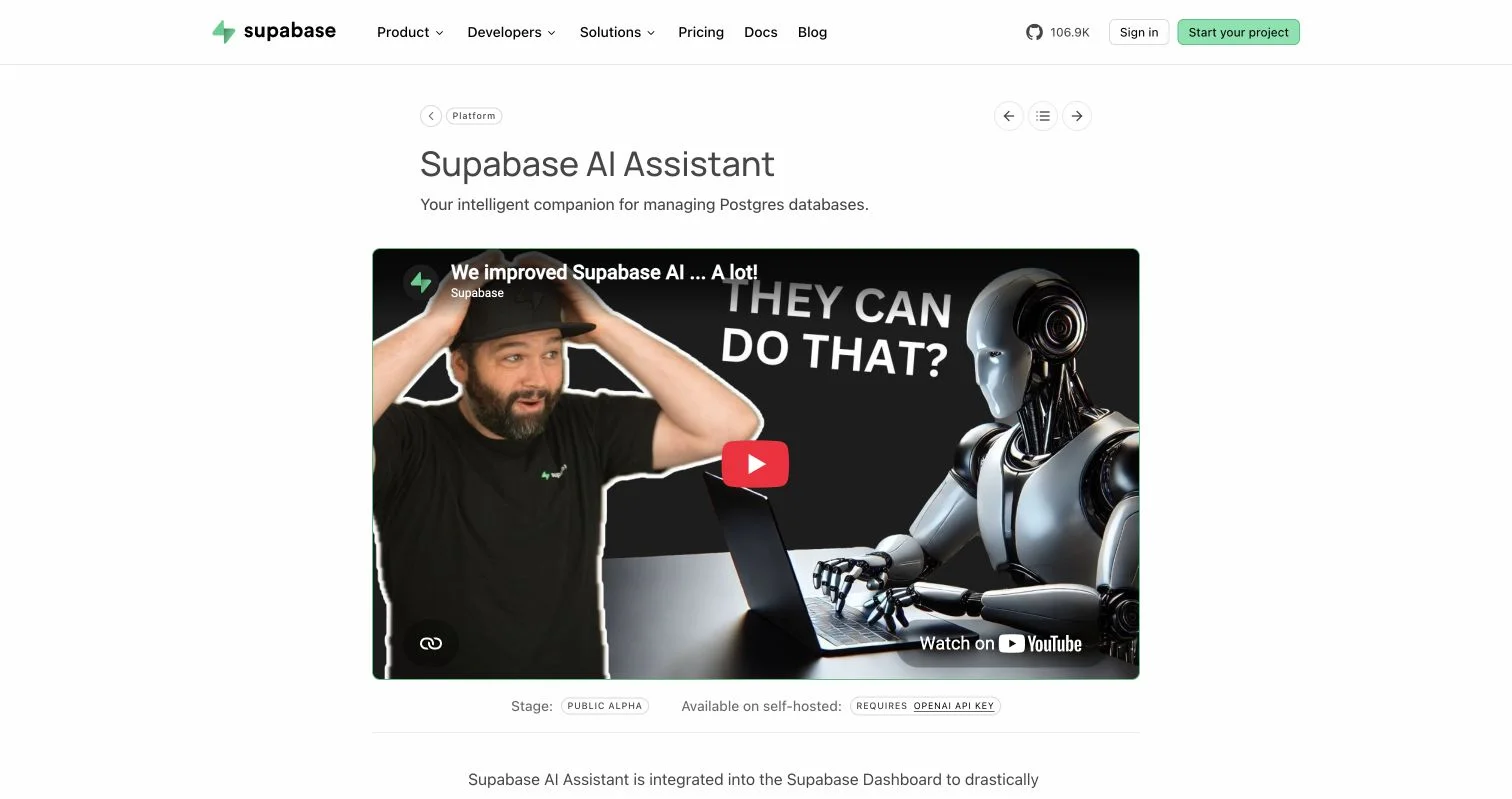
| Supabase AI Assistant | Schema design, SQL debugging, data questions, and RLS policy drafting | Supabase projects | Listed as public alpha |
| Gemini in Cloud SQL Studio | Generates and explains PostgreSQL queries from editor comments | Google Cloud SQL users | Preview feature with cloud-specific access requirements |
| Neon MCP Server | Natural-language project management, SQL execution, and branch-based migrations | Neon users and AI coding agents | Broad tools need tightly limited credentials |
| pgvector | Stores embeddings and performs exact or approximate similarity search | Search, recommendations, and retrieval | Does not create embeddings |
| pgai | Creates and synchronizes embeddings through worker-driven pipelines | Applications with changing content | Adds a worker and model-provider dependency |
| PostgresML | Runs machine-learning and language-model workloads near stored data | Teams prepared to operate ML compute | Heavier operational and hardware requirements |
Supabase positions its AI Assistant as a Postgres-focused companion inside the dashboard, giving developers a concrete example of database-aware help rather than a generic chatbot.
Microsoft says its PostgreSQL extension can use live connection context. Supabase documents its schema, query, debugging, and RLS assistance, while Google documents query generation and explanation in Cloud SQL Studio.
Start with your environment’s native AI SQL assistant. Add PostgreSQL AI tools only when the application needs them.
First Steps for Safe AI-Assisted pg Development
Start with a read-only report. This gives the assistant a precise task without database changes. For example, a marketing team might request weekly conversion rates by channel.
Process:
- Use a development database, temporary branch, or recent sanitized production copy.
- Connect the AI tool with a
SELECT-only role. - Supply table definitions, column descriptions, and approved business definitions. Avoid customer records.
- Request one PostgreSQL query explaining every join and filter.
- Run
EXPLAINbefore execution. Then test with a narrow date range and, where appropriate, aLIMIT. - Compare totals with a trusted business report.
- Version accepted SQL with a note describing its expected result.
A specific prompt exposes assumptions:
Write SQL for PostgreSQL version 18. Use only SELECT.
Return weekly conversion rate by campaign channel in UTC.
A conversion is one unique lead_id with an order within seven days.
Use the supplied schema only. Do not invent columns.
Explain joins, null handling, date boundaries, and possible duplicate rows.
This works because the model receives the same information a human analyst needs. Without a written definition of qualified conversion, the assistant should ask instead of choosing.
Reviewing AI PostgreSQL Schemas and Migrations
Schema generation looks easy in demos because empty databases lack traffic, old data, and dependent applications. Production migrations are less forgiving. I would automate this part of pg development last.
Suppose an AI tool drafts a campaign-budget table. A starting point:
CREATE TABLE campaign_budgets (
    id bigint GENERATED ALWAYS AS IDENTITY PRIMARY KEY,
    campaign_id bigint NOT NULL REFERENCES campaigns(id),
    period_start date NOT NULL,
    amount_cents bigint NOT NULL CHECK (amount_cents >= 0),
    currency_code text NOT NULL CHECK (char_length(currency_code) = 3),
    created_at timestamptz NOT NULL DEFAULT now(),
    UNIQUE (campaign_id, period_start, currency_code)
);
The SQL is a draft. Review it against this checklist:
| Item | What to check | Why it matters |
|---|---|---|
| Data type | Range, precision, time zone, and null behavior | Poor types are expensive to change |
| Constraint | Primary, unique, check, and foreign-key rules | Application validation can be bypassed |
| Delete behavior | NO ACTION, RESTRICT, CASCADE, or archival |
An incorrect cascade may erase related records |
| Index | Real filter, join, and ordering patterns | Extra indexes slow writes and consume storage |
| Locking | Table size and the operation’s lock level | Correct migrations can still interrupt users |
| Rollback | Reversible migration or forward repair | Failed releases need a tested recovery path |
Apply the same review, testing, backup, and deployment process to AI- and human-written migrations. Never let AI PostgreSQL tools improvise production migrations.
Building AI Features with PostgreSQL AI Tools
Some PostgreSQL AI tools build AI features directly in applications. The common example is semantic search. An embedding model converts text into a vector: numbers representing meaning. PostgreSQL stores and compares that vector with one for the user’s question.
| Option | What it provides | Choose it when |
|---|---|---|
| pgvector | Vector columns, distance operators, and exact or approximate indexes | Your application creates embeddings |
| pgai | Automated chunking and embedding synchronization with background workers | Source rows change often and manual pipelines are fragile |
| PostgresML | Model inference, embedding, ranking, and broader ML operations near data | You need more than vector storage and support ML infrastructure |
A minimal pgvector schema:
CREATE EXTENSION IF NOT EXISTS vector;

CREATE TABLE content_chunks (
    id bigint GENERATED ALWAYS AS IDENTITY PRIMARY KEY,
    document_id bigint NOT NULL REFERENCES documents(id),
    tenant_id bigint NOT NULL,
    content text NOT NULL,
    embedding vector(1536),
    embedding_model text,
    source_updated_at timestamptz NOT NULL
);

CREATE INDEX content_chunks_embedding_hnsw
ON content_chunks USING hnsw (embedding vector_cosine_ops);
The dimension must match the chosen model. Store model name and source update time for re-embedding after content or model changes.
The official pgvector project supports exact search plus HNSW and IVFFlat approximate indexes. pgai adds workers that keep embeddings synchronized. These extensions complement SQL; tenant filters, permissions, joins, and row-level security still control which records users may retrieve.
Four Practical PostgreSQL Development Examples
Evaluate AI PostgreSQL development with defined inputs and measurable checks. These examples serve business users and technical teams.
| Example | AI-assisted work | Verification method |
|---|---|---|
| Marketing performance report | Draft a query joining campaigns, spend, leads, and orders | Reconcile totals with an approved monthly report |
| Support-document search | Split articles, create embeddings, and retrieve similar passages with pgvector | Test at least 50 known questions and record top-5 retrieval accuracy |
| Customer schema change | Draft a migration adding consent status and history | Run migration, rollback, and constraint tests on a production-sized copy |
| Slow dashboard investigation | Explain an EXPLAIN plan and suggest candidate indexes |
Compare p95 latency and write cost before and after the change |
A marketing-report query may count orders instead of unique leads, filter the wrong side of a join, or use the account time zone instead of UTC. Each error can return plausible numbers, so reviewers should test known edge cases:
- A lead with two orders
- A campaign with spend, but no conversions
- A conversion close to midnight UTC
- A deleted or test campaign
Semantic search requires more than returning rows. Create an evaluation set of expected documents. If 41 of 50 questions retrieve an acceptable document in the first five results, top-5 success is 82%. The team can improve that metric through better chunking, metadata filters, or embeddings.
Testing AI-Generated SQL, Performance, and pgvector Search
Test generated SQL for correctness before tuning performance. Fast wrong answers are still wrong. Once the result is trustworthy, PostgreSQL evidence matters more than an assistant’s confidence.
- Record result count, execution time, and key business totals.
- Use plain
EXPLAINto inspect the plan without running the query. - On safe statements and realistic data, use
EXPLAIN (ANALYZE, BUFFERS)to compare estimated and actual rows. - Use
pg_stat_statementsto review frequent queries, not one isolated example. - Change one thing at a time, rerun the test, and measure reads and writes.
Caution: PostgreSQL documentation confirms that EXPLAIN ANALYZE executes the statement. Do not use it casually with UPDATE, DELETE, INSERT, or MERGE. Use a disposable database or deliberately rolled-back transaction.
Choose vector indexes based on measured needs:
| Search method | Main benefit | Trade-off |
|---|---|---|
| Exact scan | Complete result accuracy | Slower as the vector table grows |
| HNSW | Strong query speed and recall | More memory and slower index construction |
| IVFFlat | Faster construction and lower memory use | More tuning and a weaker speed-recall balance |
The pgvector guidance suggests starting IVFFlat lists at approximately rows / 1000 for up to one million rows and sqrt(rows) above that. Treat this as a starting point. Compare approximate and exact top-10 results on a representative sample, then choose a product-appropriate recall target.
AI PostgreSQL Pitfalls
The most dangerous output is not broken SQL. More dangerous is SQL that runs, looks sensible, and answers a slightly different question.
| Pitfall | Warning sign | Practical response |
|---|---|---|
| Invented schema | Columns or functions do not exist | Supply current DDL and reject unknown objects |
| Wrong SQL dialect | MySQL backticks or non-PostgreSQL functions appear | State the deployed PostgreSQL version in every prompt |
| Excessive permissions | The tool requests an owner or superuser role | Create a separate least-privilege role |
| Sensitive data exposure | Prompts contain customer rows or credentials | Share metadata or sanitized samples under an approved policy |
| Unsafe write | Generated SQL lacks a filter or transaction plan | Require human approval and test on an isolated database |
| Confident, but incorrect report | Plausible but unreconciled results | Compare with known answers and edge cases |
Common questions:
Conclusion
AI tools can simplify PostgreSQL development, but work best as disciplined assistants. Start with read-only reporting, provide accurate schema and business context, and verify results against known data. Keep production writes behind migration review and least-privilege access.
For application features, use the smallest suitable component:
- Use pgvector for vector storage and similarity search.
- Add pgai when embedding synchronization becomes operational work.
- Consider PostgresML when in-database model execution justifies added infrastructure.
Next, choose one low-risk query that takes too long to write. Have an AI SQL assistant draft it, then inspect the plan, test edge cases, and document the accepted version. This teaches the workflow without giving a model database control.
Frequently Asked Questions
Can AI replace a database administrator?
No. It can draft and explain work, but accountable people must handle capacity planning, recovery, security, and production changes.
Is read-only access completely safe?
It reduces damage, but costly queries can consume resources or expose restricted data. Add timeouts, row limits, and appropriate permissions.
Should an assistant see the full schema?
Only when necessary: table and column names can reveal business information without row data.
Which Postgres tool is best?
Prefer schema-aware support in your existing environment. Choose pgvector, pgai, or PostgresML only for defined application needs.
What is the safest way to start using an AI SQL assistant with PostgreSQL?
Begin with a narrowly defined reporting task in a development database or temporary branch. Give the assistant a read-only role, current schema details, and clear business definitions, then compare its results with a trusted report.
How can I tell whether AI-generated SQL is correct?
Check every join, filter, date boundary, null rule, and aggregation against the intended business question. Test known edge cases and reconcile row counts and key totals with an independently verified source.
Is a read-only database role enough to make AI access safe?
Read-only access prevents direct data changes, but it does not eliminate costly queries or unauthorized data exposure. Combine least-privilege permissions with statement timeouts, appropriate row-level security, sanitized inputs, and resource monitoring.
When should I use EXPLAIN ANALYZE on generated SQL?
Use it only after confirming that the statement is safe because it executes the query rather than merely estimating its plan. For write operations, prefer a disposable database or a deliberately rolled-back transaction, and start with plain EXPLAIN when possible.
How should AI-generated PostgreSQL migrations be reviewed?
Treat them exactly like human-written production changes. Review data types, constraints, indexes, delete behavior, locking risk, compatibility with existing data, and the recovery plan before testing on a production-sized copy.
Should I choose pgvector, pgai, or PostgresML?
Use pgvector when your application already creates embeddings and only needs vector storage and similarity search. Add pgai when embedding generation and synchronization need automation, and consider PostgresML when broader model inference near the data justifies the extra infrastructure.
How do I choose between exact search, HNSW, and IVFFlat?
Start with exact search to establish a correctness baseline. Test HNSW or IVFFlat on representative queries when scale requires faster retrieval, then measure latency, memory use, build time, and recall against the exact top results.
Related Articles
Why Text-to-SQL Fails and How to Fix It
Learn how to prevent NL2SQL errors caused by schema ambiguity, complex joins, dates, NULLs, and security gaps in AI-generated SQL.
Supabase vs Neon: AI App Features and Pricing in 2026
Compare Supabase vs Neon for AI apps: pgvector, database branching, scaling, pricing and free plans. Find the right backend for your workflow.
Freelance SQL Tools: Affordable AI Setup Guide
Compare affordable SQL tools, licenses, AI workflows, pricing, and safety checks for accurate, private freelance database work.