MCP Database Guide: Secure AI Data Integration
Table of Contents
- Introduction: A Simpler Route to MCP Database AI
- What an MCP Database Connection Actually Is
- How Model Context Protocol Powers AI Database Integration
- Why AI Database Integration Is Useful
- Choosing a Secure MCP Database Server
- Your First Secure MCP Database Setup
- MCP Database Security: OAuth, RBAC, and Read-Only Access
- Four Practical MCP Database AI Integration Examples
- Common MCP Database Mistakes and Fixes
- Conclusion: Start Small and Keep the Database in Charge
- Introduction: A Simpler Route to MCP Database AI
- What an MCP Database Connection Actually Is
- How Model Context Protocol Powers AI Database Integration
- Why AI Database Integration Is Useful
- Choosing a Secure MCP Database Server
- Your First Secure MCP Database Setup
- MCP Database Security: OAuth, RBAC, and Read-Only Access
- Four Practical MCP Database AI Integration Examples
- Common MCP Database Mistakes and Fixes
- Conclusion: Start Small and Keep the Database in Charge
Introduction: A Simpler Route to MCP Database AI
An MCP database connection lets an AI assistant work with live business data through a standard server instead of custom connectors for every model, database, and application.
Anthropic released the open protocol on November 25, 2024, to connect capable AI models with systems containing useful information. It later moved under the Linux Foundation’s Agentic AI Foundation, a neutral home for industry development.
TL;DR: MCP standardizes secure AI database integration; this guide explains:
- What Model Context Protocol does and does not do
- How AI database integration works from question to query
- Which MCP database servers are available
- How to test a connection safely
- Where OAuth, read-only access, and database roles fit
You need not be a database administrator, but you must treat database access carefully.
What an MCP Database Connection Actually Is
The Model Context Protocol is an open standard connecting AI applications to external tools and information. Its documentation compares MCP to a USB-C port: one connection works with many compatible devices. In this case, the devices are databases, business applications, file systems, and other services.
The analogy has limits. MCP standardizes communication; it does not make every database behave identically.
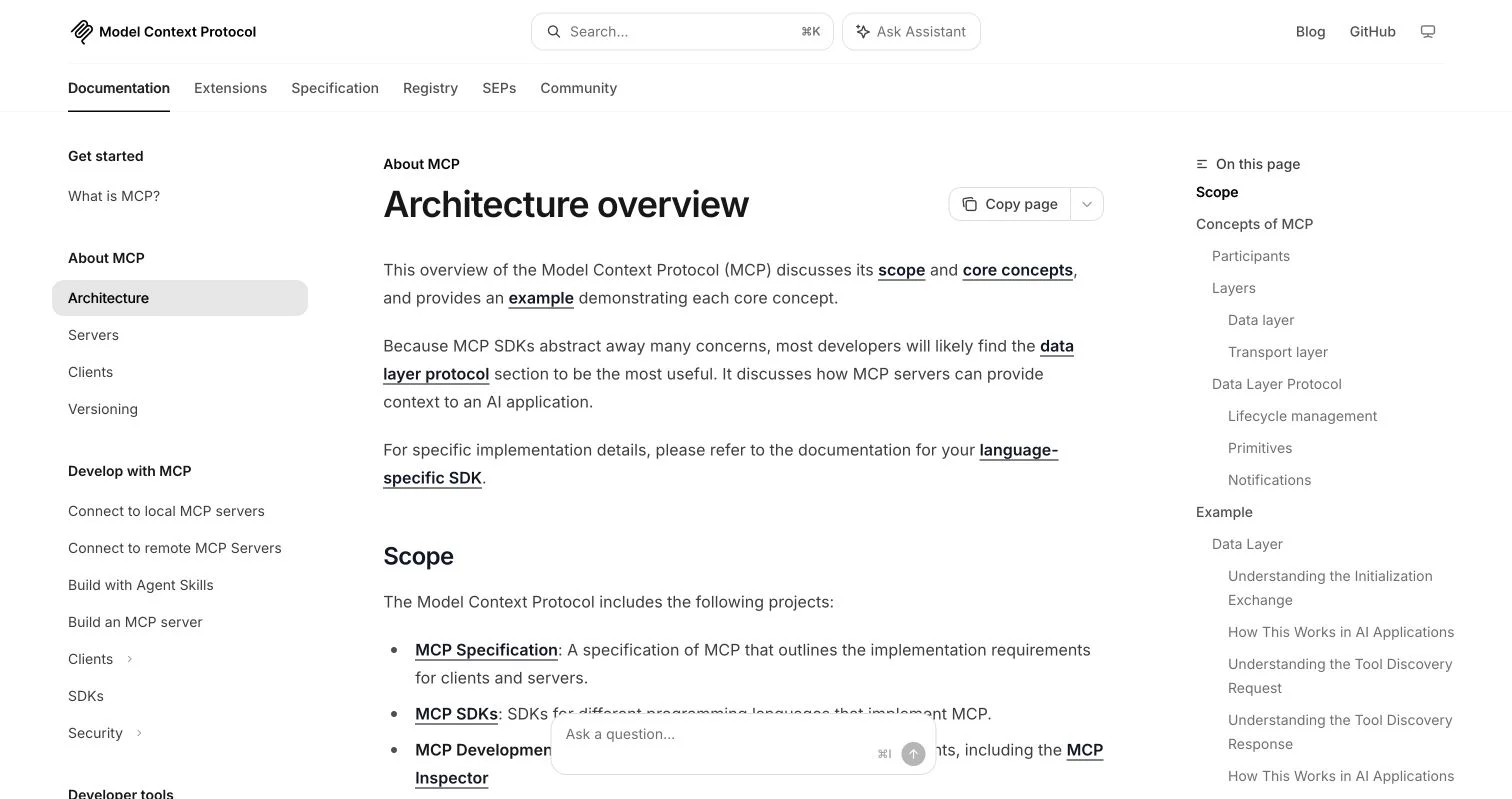
The official MCP architecture guide separates hosts, clients, servers, the data layer, and transport, which helps teams reason about where database permissions and controls belong.
An MCP database setup normally has four parts:
| Part | Plain-language role | Database example |
|---|---|---|
| Host | The application containing the AI assistant | Claude Desktop, an IDE, or an internal chat tool |
| MCP client | Maintains the connection inside the host | The client’s configured database connection |
| MCP server | Publishes approved data operations | A server exposing schema search and SQL execution |
| Database | Stores the source information | PostgreSQL, MySQL, SQLite, SQL Server, or MongoDB |
The official MCP introduction describes it as a standard connection rather than a database engine. Anthropic MCP neither stores tables nor replaces database permissions or independently guarantees trustworthy answers. It defines how clients discover and call server capabilities.
An MCP database server might let the assistant inspect tables and columns, run a limited query, and return a small result. The model interprets the question; the server and database control execution.
How Model Context Protocol Powers AI Database Integration
The Model Context Protocol uses a JSON-RPC 2.0 client-server design. Its data layer defines messages, capabilities, and sessions; its transport layer carries messages through local standard input and output or Streamable HTTP. The MCP architecture documentation identifies three server primitives: tools, resources, and prompts.
- Tools perform operations, such as running a SQL query.
- Resources supply context, such as a schema description.
- Prompts provide reusable instructions or examples.
A typical MCP database request follows:
- The host opens a one-to-one client connection with the MCP server.
- Client and server negotiate compatible protocol versions and capabilities.
- The client asks the server which tools or resources are available.
- A user asks a question such as
Which campaigns produced qualified leads last month? - The model selects a schema resource or query tool and prepares arguments.
- The host sends the tool call to the server, which validates and runs it.
- The database returns rows to the server, and the result goes back into the model’s context.
- The assistant explains the result in plain language.
This separates responsibilities: the model proposes an action, the MCP database server defines available operations, and the database controls account access. A well-designed AI database integration uses several control points rather than trusting one model response.
Why AI Database Integration Is Useful
Traditional database reporting often requires an analyst to translate a request into SQL, check the result, and prepare a chart or explanation. An MCP database connection can shorten that loop, especially with documented schemas and business definitions.
Rather than turning everyone into database engineers, AI database integration lets people explore approved data without first learning every table name.
| Approach | Good fit | Main limitation |
|---|---|---|
| Manual SQL and dashboards | Repeated reports with fixed definitions | Slow for new questions and dependent on specialist time |
| Custom AI function or API | One stable, narrow workflow | Each client and data source may need separate integration code |
| Direct MCP database server | Schema exploration and controlled live queries | Raw schemas can confuse nontechnical users |
| Semantic layer with MCP | Shared definitions for revenue, customers, and conversion | Requires initial modelling and maintenance |
AI database integration can help marketers compare channels, support teams group ticket causes, and IT teams inspect operational records. Yet speed does not ensure correctness. If tables record gross and net revenue, the assistant needs definitions or may confidently choose the wrong one.
Start with a measurable objective: answer one recurring question faster while matching an approved query. This tests the assistant better than asking it to understand the whole company immediately.
Choosing a Secure MCP Database Server
MCP server implementations now support PostgreSQL, MySQL, SQLite, SQL Server, and MongoDB. They expose different operations and security controls, so compatibility should not decide the choice alone.
| Option | Data support | Best suited to | Controls to inspect |
|---|---|---|---|
| DBHub | PostgreSQL, MySQL, MariaDB, SQL Server, and SQLite | A lightweight relational MCP database gateway | Read-only mode, row limits, query timeout, TLS, and SSH tunnelling |
| MongoDB MCP Server | MongoDB and Atlas operations | Document queries, aggregations, and MongoDB administration | Read-only mode, disabled tools, database roles, and index checks |
| Wren AI | Connected databases through a modelled business layer | Natural-language analysis using defined metrics and relationships | Project exposure, OAuth, and row or column policies |
| MindsDB | A federated query layer with more than 200 listed data-source integrations | Questions spanning databases and business systems | Source permissions, exposed tables, and query scope |
| Single-engine community server | Usually one database type | Small experiments or a narrow internal tool | Maintenance activity, license, tool definitions, and credential handling |
DBHub is a free, MIT-licensed setup maintained by Bytebase. Its two main built-in tools are search_objects for schema discovery and execute_sql for queries. This small interface can reduce context use and simplify auditing.
MongoDB also publishes an official MCP server with database and Atlas tools. Because its abilities extend beyond reading, its documentation recommends read-only mode. Wren AI adds business knowledge and governed definitions, while MindsDB presents many sources through one query layer. This helps when questions cross CRM, commerce, and database records.
Your First Secure MCP Database Setup
Start conservatively with a local test database or sanitized copy, not production. Test one known question against one approved answer.
-
Choose a narrow use case. For example, let marketers compare campaign spend with qualified leads, documenting the expected tables, date range, and result.
-
Create a dedicated database account. Give it
SELECTaccess only to the required schemas or views. Do not reuse an administrator account. -
Prepare the data model. Use clear table and column names where possible. Create views such as
monthly_campaign_performancerather than making the model reconstruct every join. -
Select and install the MCP server. Match the database engine and deployment method. For a DBHub test, use its demo mode or a nonproduction connection before supplying a real data-source name.
-
Enable database security guardrails. Enable read-only operation, a row limit, and a query timeout. Start with 100 rows and 10 seconds, then adjust for observed workloads.
-
Register the server with the client. Local servers commonly use standard input and output; centrally hosted servers use Streamable HTTP and require network authentication.
-
Test both normal and hostile requests. Ask the approved question, then request restricted columns, a full-table export, a write, and an expensive query.
| Test item | Pass condition | Evidence to retain |
|---|---|---|
| Correctness | Result matches the approved query | SQL text and result comparison |
| Access | Restricted data cannot be returned | Denied request and role configuration |
| Safety | Writes and long queries are blocked | Server log and timeout result |
| Traceability | Each tool call can be reconstructed | Timestamp, user, tool, and query record |
Do not judge the setup by one impressive answer. Test different date phrases, missing values, ambiguous customer names, and empty results. AI database integration is useful when ordinary questions work predictably, not when one demonstration looks clever.
MCP Database Security: OAuth, RBAC, and Read-Only Access
A secure MCP database deployment has two trust boundaries: user or client to MCP server, and server to database. OAuth can protect the first boundary but cannot replace permissions at the second.
The current Model Context Protocol authorization specification defines authorization for HTTP transports using OAuth 2.1 practices. It requires HTTPS authorization endpoints, PKCE, redirect validation, and secure token storage. Protocol-level authorization is optional; local standard-input servers generally obtain credentials from their environment.
Use layered controls:
| Layer | What to configure | Why it matters |
|---|---|---|
| User to MCP server | OAuth, short-lived tokens, approved redirect addresses | Confirms who may call the remote service |
| MCP server | Tool allowlist, request validation, row cap, timeout | Limits what an authenticated caller can ask it to do |
| Server to database | Dedicated account and role-based access control | Prevents the server from exceeding its job |
| Data model | Views, row-level security, and column restrictions | Keeps sensitive records outside returned results |
| Operations | Logs, alerts, credential rotation, and review | Makes misuse and mistakes easier to detect |
Enforce read-only mode in both the MCP server and database account. A database role provides an independent barrier if the server flag is buggy or changed. Wren AI’s hosted MCP connection, for example, applies row and column policies per authenticated user. Its documentation warns against shared accounts because shared identity weakens those controls.
Database text can contain malicious instructions. Treat results as untrusted, keep database credentials out of model context, and require human approval for exports, writes, or administrative actions.
Four Practical MCP Database AI Integration Examples
These realistic use cases do not imply that a server automatically understands an undocumented database.
-
Marketing campaign review: A marketer asks which paid campaigns generated qualified opportunities during the previous quarter. The MCP database server reads a governed view joining spend, leads, and opportunity stages. The team checks total spend, lead count, and attribution rules against its existing report before using the answer.
-
IT incident analysis: An IT manager asks which services produced the most high-severity incidents in 30 days. The assistant reads incident records but cannot access employee notes or change production data. The output names the affected service, incident count, and median resolution time, retaining the query for review.
-
Customer support triage: A support lead asks whether refund requests rose after a product release. The MCP database connection groups tickets by week and product version. Restricting access to category, date, and product fields excludes names and message bodies.
-
Database performance investigation: An engineer asks which queries exceeded five seconds. A read-only MCP server inspects performance records and query plans, then suggests, but does not create, indexes for human review. MongoDB’s server, for example, offers index checks and performance tools, while relational servers can expose database-specific diagnostic views.
Measure each case simply:
| Measure | Example target |
|---|---|
| Accuracy | Totals match an approved report for five test periods |
| Speed | Routine answer arrives within 30 seconds |
| Safety | Zero successful write or restricted-field tests |
| Adoption | Intended users complete the task without analyst intervention |
These measurements connect an Anthropic MCP experiment to an operating problem and reveal whether the bottleneck is the protocol, data model, permissions, or question wording.
Common MCP Database Mistakes and Fixes
Most early failures stem from access design or confusing data, not the wire protocol. The assistant cannot infer a company’s private definition of an active customer without that definition.
| Mistake | What happens | Practical fix |
|---|---|---|
| Connecting directly to production first | A bad query affects real workloads | Begin with sample data, a replica, or a restricted analytics store |
| Giving broad database rights | A prompt can expose or alter unrelated data | Use a dedicated read-only role and approved views |
| Exposing the raw schema | Similar table names produce inconsistent SQL | Add descriptions, semantic models, and tested query examples |
| Returning unlimited rows | Costs, latency, and disclosure risk rise | Set server and SQL limits plus a timeout |
| Treating OAuth as database RBAC | Every authenticated user may inherit one powerful account | Map identities to roles or expose separate restricted services |
| Hiding generated queries | Wrong joins go unnoticed | Log SQL or database operations and show them during testing |
| Assuming every MCP client behaves alike | Approval and tool-use behavior varies | Test each supported client and pin compatible versions |
Enabling write tools for a more thrilling demonstration creates a different risk class. For analysis, keep the service read-only. If a later workflow must change data, expose a validated, human-confirmed operation such as approve_campaign_budget instead of unrestricted SQL.
As Model Context Protocol versions change, record the MCP client, server, and negotiated versions in deployment notes. Test AI database integration upgrades like database drivers or public APIs.
Conclusion: Start Small and Keep the Database in Charge
An MCP database server lets AI applications find schemas, call approved query tools, and receive live results. The Model Context Protocol reduces repetitive integration work but still requires clear data definitions, permissions, testing, and human judgment.
The practical path:
- Start with one question and a nonproduction data source.
- Use a dedicated read-only account, row limits, and timeouts.
- Add OAuth for remote access and enforce RBAC inside the database.
- Compare every early answer with an approved query.
- Expand access only after logs show predictable and safe behavior.
DBHub offers an approachable MIT-licensed route for relational databases, while MongoDB, Wren AI, MindsDB, and other MCP servers cover different data models and governance needs. Pick the smallest option that solves the immediate problem. Once reliable, connect the next dataset instead of attempting an immediate company-wide rollout.
Frequently Asked Questions
Should I connect an MCP database server directly to production?
Start with sample data, a sanitized copy, or a restricted analytics replica. Move toward production only after validating accuracy, access controls, query limits, timeouts, and logging under both normal and hostile requests.
What permissions should the MCP database account have?
Create a dedicated account with read-only access to only the required schemas, views, rows, and columns. Enforce these restrictions in the database itself as well as in the MCP server so that one configuration error cannot grant broader access.
Does OAuth make an MCP database connection secure by itself?
No. OAuth authenticates users or clients connecting to a remote MCP server, but database roles still determine what the server can access. A secure setup combines OAuth with tool restrictions, request validation, database RBAC, data policies, and audit logs.
How should I choose an MCP database server?
Choose the smallest maintained server that supports your database, deployment method, and required operations. Compare read-only enforcement, row limits, timeouts, authentication, logging, credential handling, and the ability to restrict tools, not just database compatibility.
How can I improve answers when the database schema is confusing?
Expose clearly named views, documented metrics, schema descriptions, and tested query examples instead of relying on raw tables alone. If terms such as revenue, conversion, or active customer have company-specific meanings, encode those definitions in a governed semantic layer or business view.
How do I verify that an MCP database integration is working correctly?
Test a recurring business question and compare the generated query and totals with an approved result across several periods. Also test restricted fields, write attempts, large exports, expensive queries, ambiguous wording, missing values, and empty results while retaining logs as evidence.
When should an MCP database workflow be allowed to write data?
Keep analytical workflows read-only by default. If changes are genuinely required, expose a narrow validated operation with explicit inputs, authorization checks, audit logging, and human confirmation instead of unrestricted SQL or administrative tools.
Related Articles
How to View a Database in Cursor AI Safely
Learn how to connect and query databases in Cursor AI using read-only access, secure credentials, SQL reviews, and production safeguards.
NLP Databases: Text-to-SQL, Schema Linking & Safety
Learn how NLP databases use entity recognition, intent parsing, schema linking, and safeguards to turn natural language into reliable SQL.